+34 934 356 489
  bcn@avisualstudios.es

Streaming
How to organize a webcast?

If you really want to get good results like Ibai Llanos and benefit from the advantages offered by this growing format, it’s important that you organize and execute it correctly. En el post de hoy, te damos las claves para organizar un webcast.
Planning a live broadcast
To start planning the content, you must decide if you want to do recurring streams or if they will be sporadic, so you can determine if they will be related to each other or not. You should know that conducting live broadcasts gradually will allow you to create engagement with attendees. Also determine the objective of your webinar to keep on track throughout the process and, more importantly, during the live event. Analyze and choose the most suitable speaker or presenter for the audience and objective of your webcast, as the way the webcast is directed will determine the attendance and retention of the audience. Share the invitation to your live event through the most appropriate communication channels for your case; via email, social media, online ads… The channel will depend on the type and quantity of audience you want to achieve. Sometimes, not everything goes, and you must correctly segment your audience to obtain better results in your digital marketing strategy. Prepare well in advance what you want to share with your attending audience, such as presentations, screen sharing, digital whiteboards…
Streaming platforms

If you’re starting to organize a webcast, you also need a webcasting tool to broadcast. You should keep in mind that some video platforms have a limit on viewer capacity, and this can considerably limit your reach. Some also allow the viewer to participate actively, which potentially increases the success of the webcast.
Some of the most used platforms due to their features and reliability are:
- Zoom: in addition to live streaming, it allows recording the live event for possible delayed rebroadcast. It also incorporates a live chat, live polls, and the ability to share screen. Its free version is limited.
- GoToWebinar: This platform doesn’t have a free version, but it expands the features compared to the one we mentioned earlier. It has more interactive features for attendees and integrations, allows customization with your branding, and has results analytics tools.
- ClickMeeting: This platform does have a free version, but with limitations. It allows more attendees and has more features than Zoom.
- Twitch: This platform is more dedicated to entertainment, although it’s making its way towards interactive interviews, which are really valued by users and some communities.
- Youtube, Facebook and Instagram Live: these platforms ideal for mass broadcasts through social networks are more limited.
If you’re thinking about doing multistreaming to reach more audience, then you’ll need some specific platforms like StreamYard or Restream.io.
Where to conduct your webcast
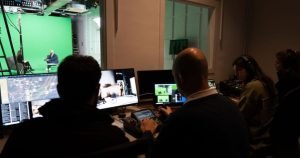
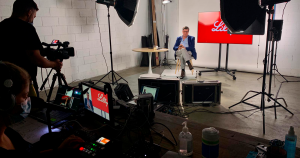
Although it may seem obvious, the space should be conducive, never a problem. To avoid unwanted interruptions that can distract the attendee from your objective, make sure it’s in a controlled space at all times. Additionally, this could cost you the transmission itself and have to repeat it, adding costs to your production. The lighting should be continuous and not change over time, and sufficient for correct viewing from any device. At AVisual STUDIOS, in Barcelona, we have the Webcast Zone, a fully equipped set with 50m² expandable and modular. In addition, among the included and available decor we have sofas with interchangeable covers, tables, carpets and vinyl floors, white, black and gray curtains, and decorative backgrounds printed on fabric so you can choose your ideal combination. Among the most notable interviews transmitted from our set, we highlight the one conducted by Kapo 013 with Khan about the old school of freestyle, along with Daruma.